Find the unfinished work
Search by class, topic, or plans that still need attention. A needs-planning filter helps you find the blank spaces.
Five-day lesson planner
The five-day view puts each class in its own row, so you can see where the week is headed without opening five separate screens. It is a small change that makes planning feel less scattered.
Download for macOS: Coming Soon. The first release is being prepared for macOS 14 or newer. Pricing has not been announced.
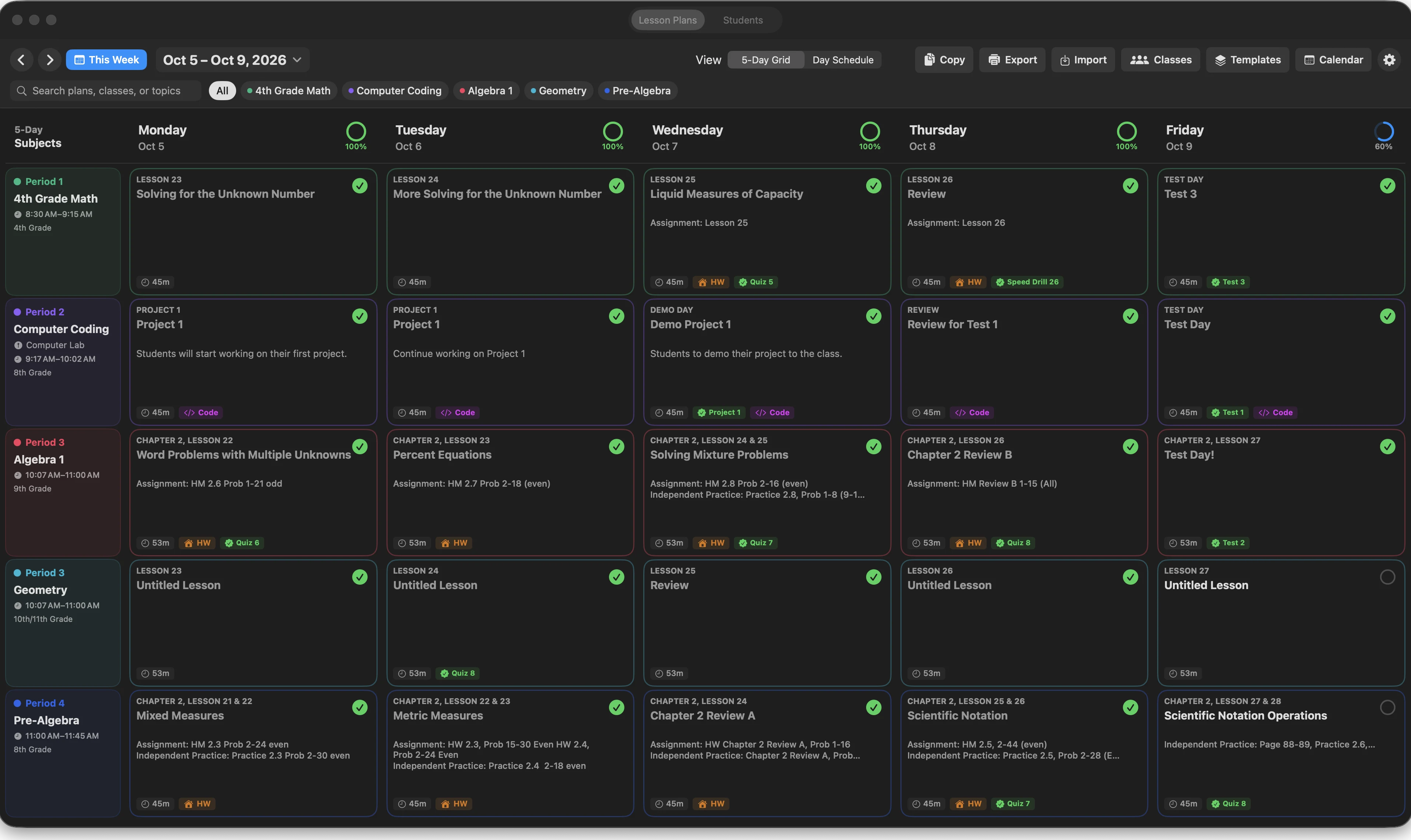
More than a calendar
Classroom Studio treats the five-day grid as the starting point. Open a lesson when you need to write, but keep the week in view while you decide what comes next.
Search by class, topic, or plans that still need attention. A needs-planning filter helps you find the blank spaces.
Set meeting days, school years, holidays, special days, and different holiday groups for the students you teach.
Copy weeks, shift plans, and resolve conflicts with a preview before anything replaces a plan you already wrote.
An example week
Imagine a teacher planning a math class, a coding class, and two high-school courses. The week view answers “what is next?” before the teacher has to remember where every plan lives.
Check the rows for missing plans, a holiday, or a class that is falling behind the intended sequence.
Open one lesson, add the objective and materials, attach an assignment, and leave a short reflection prompt for later.
Shift the selected class plans forward, or copy a week with Replace, Merge, or Skip choices instead of guessing what will be overwritten.
Release details
Contact OBXSoft if you would like a note when the download is available.